
General
Is there a windows user interface for Lemur
Started by Mclagett on .
Sign in or create an account to join the conversation.
Hi --
I have cubase running on a laptop inside my rack. I am controlling it remotely via the iPad with Splashtop and am controlling the Cubase interface directly to mange my guitar and keyboard sounds (and play backing tracks, etc.). I would love to use Lemur to create some custom screens for myself, but would prefer not to switch out of Splashtop to do so.
I'm wondering if there is a windows user interface that allows one to run lemur modules on Windows itself (and ideally communicate in a high-performance manner with the local target (Cubase in my case).
Thanks very much for any insight you can provide.
Regards,
Mike
I have cubase running on a laptop inside my rack. I am controlling it remotely via the iPad with Splashtop and am controlling the Cubase interface directly to mange my guitar and keyboard sounds (and play backing tracks, etc.). I would love to use Lemur to create some custom screens for myself, but would prefer not to switch out of Splashtop to do so.
I'm wondering if there is a windows user interface that allows one to run lemur modules on Windows itself (and ideally communicate in a high-performance manner with the local target (Cubase in my case).
Thanks very much for any insight you can provide.
Regards,
Mike
There is no Windows version of Lemur at the moment. (save the Lemur Editor of course)
Ok thanks. I think perhaps a better strategy anyway is to bag trying to control things with Cubase directly and to create Lemur screens that have all the controls that I want and then just stay in Lemur. I probably have ultimately more control this way anyway and at a higher level of abstraction.
It would be fantastic to run Lemur modules as a VSTi's in Cubase or other DAW’s on a mutli-touch large screen. The extra real-estate will provide developers more freedom to create new multi-touch VST instruments and VST midi controllers.
see http://forum.liine.net/viewtopic.php?f=28&t=4026
So what I am saying is when some of the iPad apps are ported into Windows they will likely be in the VST format. The iPad apps can also be ported into Windows as standalone, which is not a bad idea.
see http://forum.liine.net/viewtopic.php?f=28&t=4026
So what I am saying is when some of the iPad apps are ported into Windows they will likely be in the VST format. The iPad apps can also be ported into Windows as standalone, which is not a bad idea.
There may be a windows way of controlling a touch screen running Lemur. I have been experimenting today with a windows emulator of android call Andyroid http://www.andyroid.net/ My setup is one PC running Cubase and a second PC running the emulator of android, both running are using windows 7.
After installing Andyroid on the 2nd PC and then downloaded Lemur from google play everything seem to work apart from I could not get Lemur to connect and seen the midi ports.
After trial and error I found out this was down to the Andyroid (virtual android) not really connecting to my router but instead setting up a virtual connection inside the 2nd PC and that gave a different IP address range. I opened the virtualbox settings and I managed to get it to use an IP address that was part of my network and then Lemur could be seen by my first PC, the one running Cubase. I cant remember the setting as I am not in the studio now but I will post this later when I re-run the test again.
I do not yet have a touch screen monitor and as I wanted to do this test before spending any money I have it working using a mouse to control Lemur on the android PC but I am guessing because it is running windows 7 the touch screen should still interact with the android emulator just like the mouse is doing now. Even though I was running it through an emulator I didn't feel any lag and Cubase was being controlled instantly.
I am looking at buying this monitor, Hanns.G HT231HPB 23 Inch Touch Screen Monitor as it is a 10 point multitouch touchscreen they also have a 27 inch version too (Hanns.G HT271HPB ).
Monitor link: http://www.eclipsecomputers.com/product.aspx?code=MOH-HT231HPB
After installing Andyroid on the 2nd PC and then downloaded Lemur from google play everything seem to work apart from I could not get Lemur to connect and seen the midi ports.
After trial and error I found out this was down to the Andyroid (virtual android) not really connecting to my router but instead setting up a virtual connection inside the 2nd PC and that gave a different IP address range. I opened the virtualbox settings and I managed to get it to use an IP address that was part of my network and then Lemur could be seen by my first PC, the one running Cubase. I cant remember the setting as I am not in the studio now but I will post this later when I re-run the test again.
I do not yet have a touch screen monitor and as I wanted to do this test before spending any money I have it working using a mouse to control Lemur on the android PC but I am guessing because it is running windows 7 the touch screen should still interact with the android emulator just like the mouse is doing now. Even though I was running it through an emulator I didn't feel any lag and Cubase was being controlled instantly.
I am looking at buying this monitor, Hanns.G HT231HPB 23 Inch Touch Screen Monitor as it is a 10 point multitouch touchscreen they also have a 27 inch version too (Hanns.G HT271HPB ).
Monitor link: http://www.eclipsecomputers.com/product.aspx?code=MOH-HT231HPB
Ok I got the Hanns.G HT231HPB 23 Inch Touch Screen Monitor and tried it out but I can only get single touch to work so far. Also fades and switches seem to work ok but pads like the ones used for fast-forward and re-wind do not work correctly. Its very hard to get them to see that a touch is happening unless i touch and then swipe my finder on them.
My ideal solution would be not to use windows at all but to have an Android device or box that had HDMI for the picture part of my touch screen and also a USB port with the correct drivers for the touch to work.
I have tried this Android TV box (XIAOMI Mi Box) that I already had but the touch isn't working on it even though Lemur runs ok.
If anyone has any ideas on how to get touch drivers installed and working on an Adroid tv box that would be great to hear.
TV BOX [img]http://www.xiaomishop.com/328-thickbox_default/original-xiaomi-box-hd-internet-tv-box-with-remote-smart-box-for-iphone-xiaomi-mi2-best-accessories-for-tv.jpg[/img]
Monitor [img]http://www.gizmaniak.pl/wp-content/gallery/gizmaniak./hanns-g-ht231hpb-monitor/hannsg-ht231-test-17.jpg[/img]
My ideal solution would be not to use windows at all but to have an Android device or box that had HDMI for the picture part of my touch screen and also a USB port with the correct drivers for the touch to work.
I have tried this Android TV box (XIAOMI Mi Box) that I already had but the touch isn't working on it even though Lemur runs ok.
If anyone has any ideas on how to get touch drivers installed and working on an Adroid tv box that would be great to hear.
TV BOX [img]http://www.xiaomishop.com/328-thickbox_default/original-xiaomi-box-hd-internet-tv-box-with-remote-smart-box-for-iphone-xiaomi-mi2-best-accessories-for-tv.jpg[/img]

Monitor [img]http://www.gizmaniak.pl/wp-content/gallery/gizmaniak./hanns-g-ht231hpb-monitor/hannsg-ht231-test-17.jpg[/img]

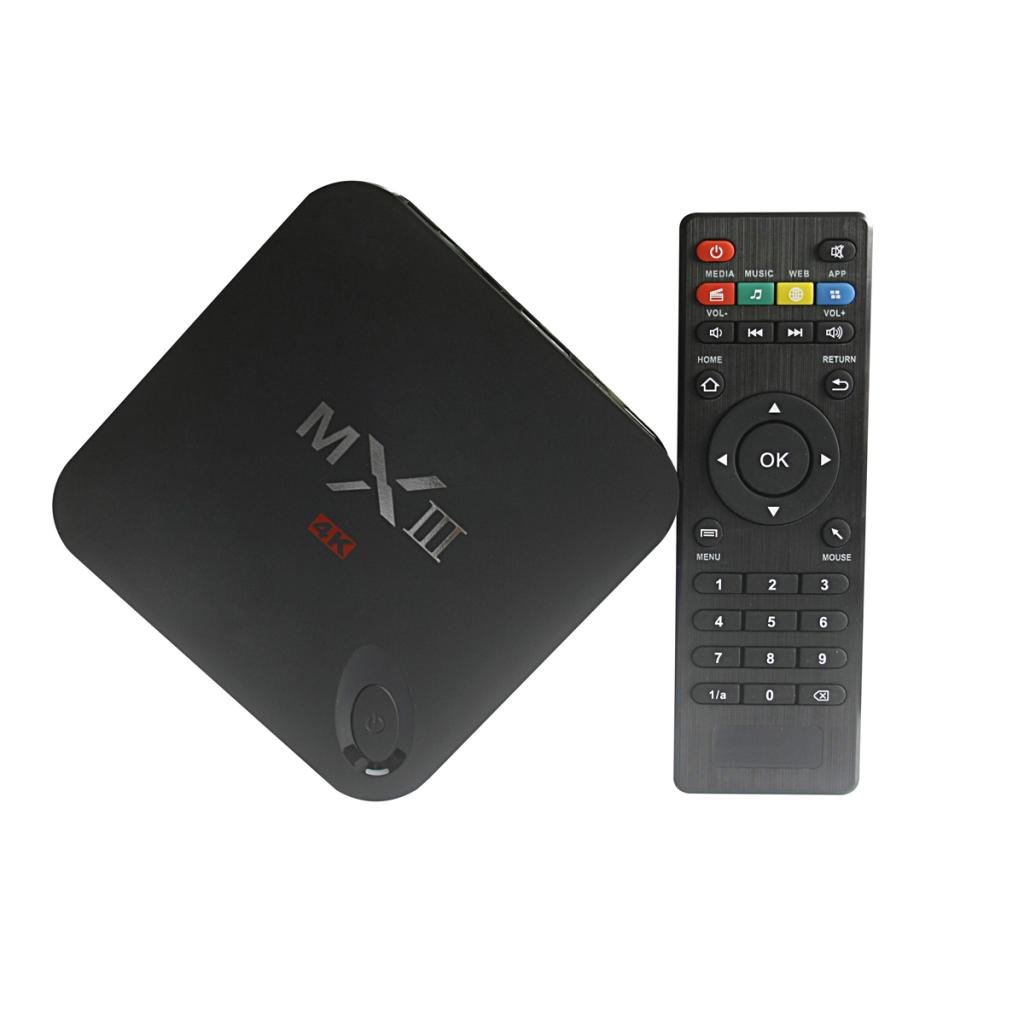
I have a new android box now and 10 finger touch is working great. The box is a MX3 android 4.4.2
for some strange reason I am only getting 960x460 instead of 1920x1080m when running Lemur. If anyone knows how to change this it would be great to know.
[img]http://ecx.images-amazon.com/images/I/51zL2l9XHjL._SL1024_.jpg[/img]
for some strange reason I am only getting 960x460 instead of 1920x1080m when running Lemur. If anyone knows how to change this it would be great to know.
[img]http://ecx.images-amazon.com/images/I/51zL2l9XHjL._SL1024_.jpg[/img]
Thank you for the tip !
I also brought a cheap Hanns.G HT231HPB, i was hoping to run android x86 and pci passthrought to the monitor, but i did not worked.
I was also looking for a reasonnable price android bow with multitouch support, i guess i'm going to buy a MX3 android 4.4.2
I also brought a cheap Hanns.G HT231HPB, i was hoping to run android x86 and pci passthrought to the monitor, but i did not worked.
I was also looking for a reasonnable price android bow with multitouch support, i guess i'm going to buy a MX3 android 4.4.2
Can the editor be run and used to send midi to other apps on the PC?nick_liine wrote:There is no Windows version of Lemur at the moment. (save the Lemur Editor of course)
Boy that would be great to harness the power of the PC's CPU and just use the iPad to control it..is that possible?
I am experimenting with running Lemur via Andy but I am having trouble getting Lemur Daemon (on my mac) to see Lemur running on my Windows machine (via Andy).opened the virtualbox settings and I managed to get it to use an IP address that was part of my network and then Lemur could be seen by my first PC, the one running Cubase. I cant remember the setting as I am not in the studio now but I will post this later when I re-run the test again.
Could you elaborate on how to change the IP settings to allow Lemur on your mac to 'see' the Lemur ports in Andy?
This would be much appreciated! By, the way, very cool setup you have created!
Figured it out...if anyone else is interested, simply change the Andy network settings from 'NAT' to 'bridged' in the VM launcher. Seemed to do the trick for me.
Happy New Year!
It would be great to run Lemur modules on my Windows 10 machine. I have a 23" multi-touch monitor.
So I am ready, willing and able!
It would be fantastic to run Lemur modules as a VSTi's in Cubase, Sonar or FL studio or other DAW’s on a large mutli-touch screen.
The extra real-estate will provide developers more freedom to create new multi-touch VST instruments and VST midi controllers.
see http://forum.liine.net/viewtopic.php?f=28&t=4026
So what I am saying is when some of the iPad apps are ported into Windows they will likely be in the VST format.
The iPad apps can also be ported into Windows as standalone, which is not a bad idea.
Liine is obviously a very capable company and hope that they see the wisdom of making such a move.
This will be a wonderful world when that day arrives.
It would be great to run Lemur modules on my Windows 10 machine. I have a 23" multi-touch monitor.
So I am ready, willing and able!
It would be fantastic to run Lemur modules as a VSTi's in Cubase, Sonar or FL studio or other DAW’s on a large mutli-touch screen.
The extra real-estate will provide developers more freedom to create new multi-touch VST instruments and VST midi controllers.
see http://forum.liine.net/viewtopic.php?f=28&t=4026
So what I am saying is when some of the iPad apps are ported into Windows they will likely be in the VST format.
The iPad apps can also be ported into Windows as standalone, which is not a bad idea.
Liine is obviously a very capable company and hope that they see the wisdom of making such a move.
This will be a wonderful world when that day arrives.